Images to PDF Converter
Image to PDF Converter is a free online tool that lets you convert JPG, PNG, WebP, HEIC, BMP, TIFF, GIF, and other image formats into high-quality PDF files in just a few clicks. Upload one or multiple images, arrange them in your preferred order.
An Image to PDF Converter is a simple tool that changes one or more image files into a PDF document. It is useful for students, office workers, teachers, businesses, and anyone who wants to share images in a professional document format.
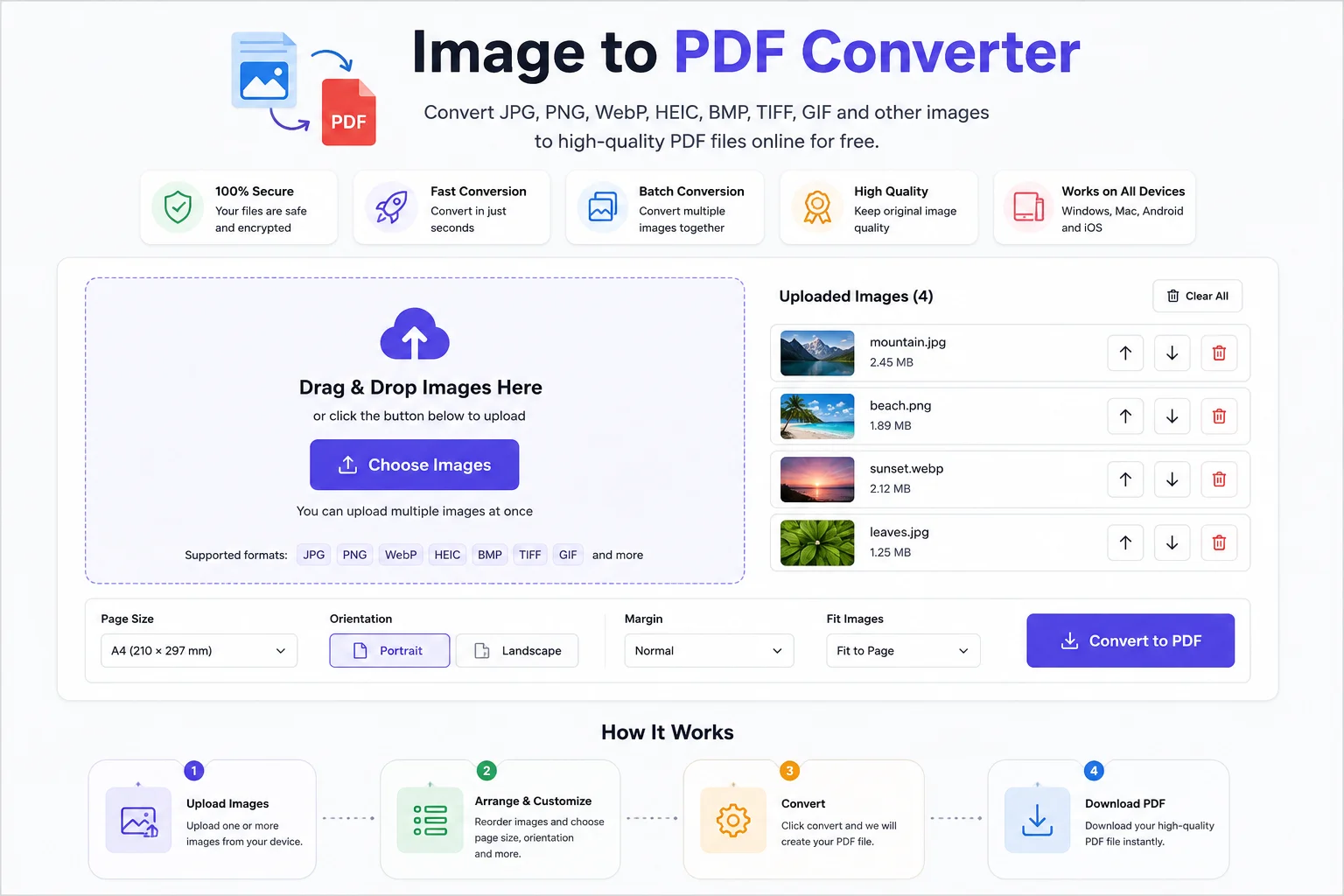
Instead of sending many image files separately, you can combine them into a single PDF. PDF files are easy to view, print, upload, and share because they look the same on almost every device and operating system. The PDF format is an open ISO standard that preserves document layout, fonts, and images consistently.
Whether you need to convert JPG, PNG, WebP, BMP, GIF, TIFF, HEIC, or other image formats, an Image to PDF Converter makes the process quick and simple.
What Is an Image to PDF Converter?
An Image to PDF Converter is an online or offline tool that takes one or more image files and places them into a PDF document.
Most converters allow you to:
- Convert a single image into a PDF
- Merge multiple images into one PDF
- Rearrange image order
- Rotate images
- Select page size
- Adjust page margins
- Download the finished PDF
Many modern tools work directly in your browser, so you do not need to install any software.
Why Convert Images to PDF?
PDF is one of the most trusted document formats because it works consistently across computers, phones, and tablets. Since becoming an ISO standard, it has been widely used for business, education, and government documents.
Common reasons to convert images into PDF include:
- Share scanned documents
- Submit school assignments
- Upload government documents
- Create digital reports
- Store receipts
- Save invoices
- Archive photographs
- Print multiple images together
Supported Image Formats
Most Image to PDF converters support many popular image formats.
Image Format Supported Best For JPG / JPEG ✅ Photos PNG ✅ Graphics and screenshots WebP ✅ Modern web images BMP ✅ High-quality bitmap images GIF ✅ Simple graphics TIFF ✅ Scanned documents HEIC ✅ iPhone photos AVIF ✅ Modern compressed imagesPNG is commonly used for graphics because it supports lossless compression and transparency, while WebP offers both lossy and lossless compression for efficient web images.
How to Use an Image to PDF Converter
Most online tools work in only a few simple steps.
- Step 1: Upload one or more image files.
- Step 2: Arrange the images in the order you want.
- Step 3: Choose optional settings such as:
- Page size
- Orientation
- Margins
- Image fit
- Step 4: Click Convert.
- Step 5: Download your PDF file.
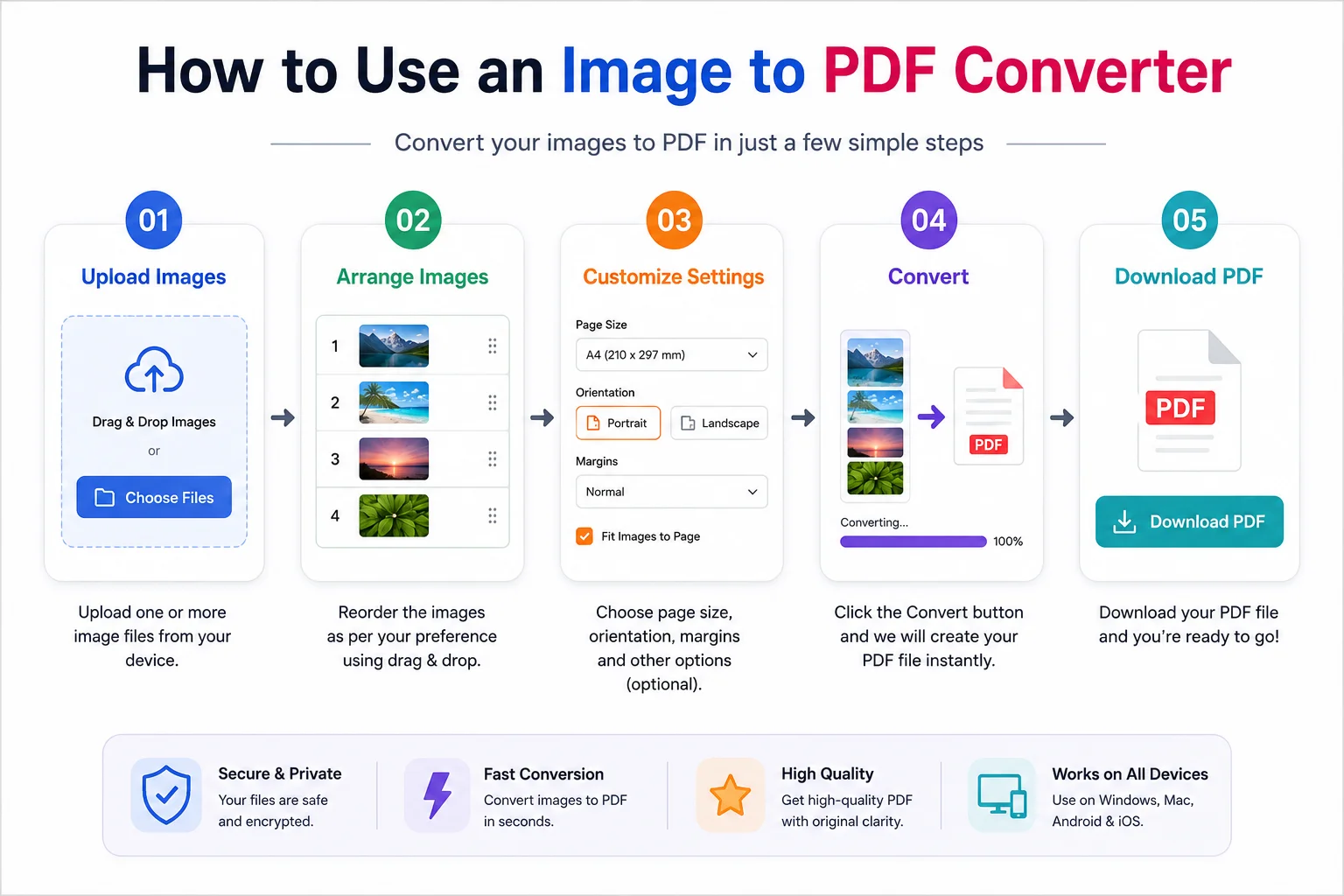
The entire process usually takes only a few seconds.
Features of a Good Image to PDF Converter
- Fast conversion
- Support for multiple image formats
- Batch conversion
- Drag-and-drop upload
- Multiple image merge
- High image quality
- Custom page size
- Portrait and landscape options
- Secure file processing
- Works on all devices
- No software installation
- Browser-based conversion
Benefits of Using an Image to PDF Converter
Easy Sharing
Instead of sending several image files, you only send one PDF.
Professional Appearance
PDF documents look cleaner and are easier to organize.
Better Printing
PDF keeps the page layout consistent during printing.
Compatible Everywhere
PDF files open on Windows, macOS, Linux, Android, and iPhone without changing the document layout.
Combine Multiple Images
Many tools allow dozens of images to be merged into one PDF.
Saves Time
You can convert multiple images together instead of one by one.
Common Uses
People use Image to PDF converters for many tasks.
Students
- Homework
- Notes
- Assignments
- Projects
Teachers
- Worksheets
- Study materials
- Exam papers
Office Workers
- Reports
- Bills
- Contracts
- Receipts
Businesses
- Product catalogs
- Invoices
- Client documents
Personal Use
- Photo albums
- Travel documents
- Identity proofs
- Certificates
Tips for Better PDF Quality
- Use clear, high-resolution images.
- Crop unnecessary borders before converting.
- Arrange images in the correct order.
- Rotate images if needed.
- Keep all pages the same orientation.
- Avoid very small images if the PDF will be printed.
Is an Online Image to PDF Converter Safe?
Most trusted converters process files securely, and many automatically delete uploaded files after a short period. Before uploading sensitive documents, always check the website's privacy policy and file handling practices.
If your images contain confidential information, consider using an offline converter.
Image vs PDF
Feature Image PDF Multiple Pages ❌ ✅ Easy Printing Limited Excellent Professional Format No Yes Widely Accepted Yes Yes Combine Multiple Files No Yes Document Sharing Good ExcellentBest Practices
- Use images with similar sizes.
- Keep page orientation consistent.
- Name files clearly before uploading.
- Review the PDF before sharing.
- Store the original images as a backup.
Frequently Asked Questions
Does converting images to PDF reduce image quality?
Most converters preserve the original image quality, although some may compress images slightly to reduce the PDF file size.
Can I convert multiple images into one PDF?
Yes. Most Image to PDF converters support combining several images into a single PDF document.
Can I convert PNG to PDF?
Yes. PNG files can easily be converted into PDF while preserving their image quality. PNG is a lossless image format designed for high-quality graphics.
Can I convert JPG to PDF?
Yes. JPG and JPEG are among the most commonly supported formats in Image to PDF converters.
Does it work on mobile devices?
Yes. Most online Image to PDF converters work on Android phones, iPhones, tablets, laptops, and desktop computers through a web browser.
Do I need to install software?
No. Most modern Image to PDF converters work directly in your browser.
Conclusion
An Image to PDF Converter is a simple yet powerful tool for turning images into professional PDF documents. Whether you need to submit assignments, organize scanned papers, share business documents, or combine photos into a single file, converting images to PDF saves time and keeps everything neatly organized.
A reliable converter should support popular formats like JPG, PNG, WebP, BMP, TIFF, GIF, and HEIC, provide fast processing, maintain good image quality, and work on any device without requiring software installation. With just a few clicks, you can create a PDF that is easy to store, print, and share.