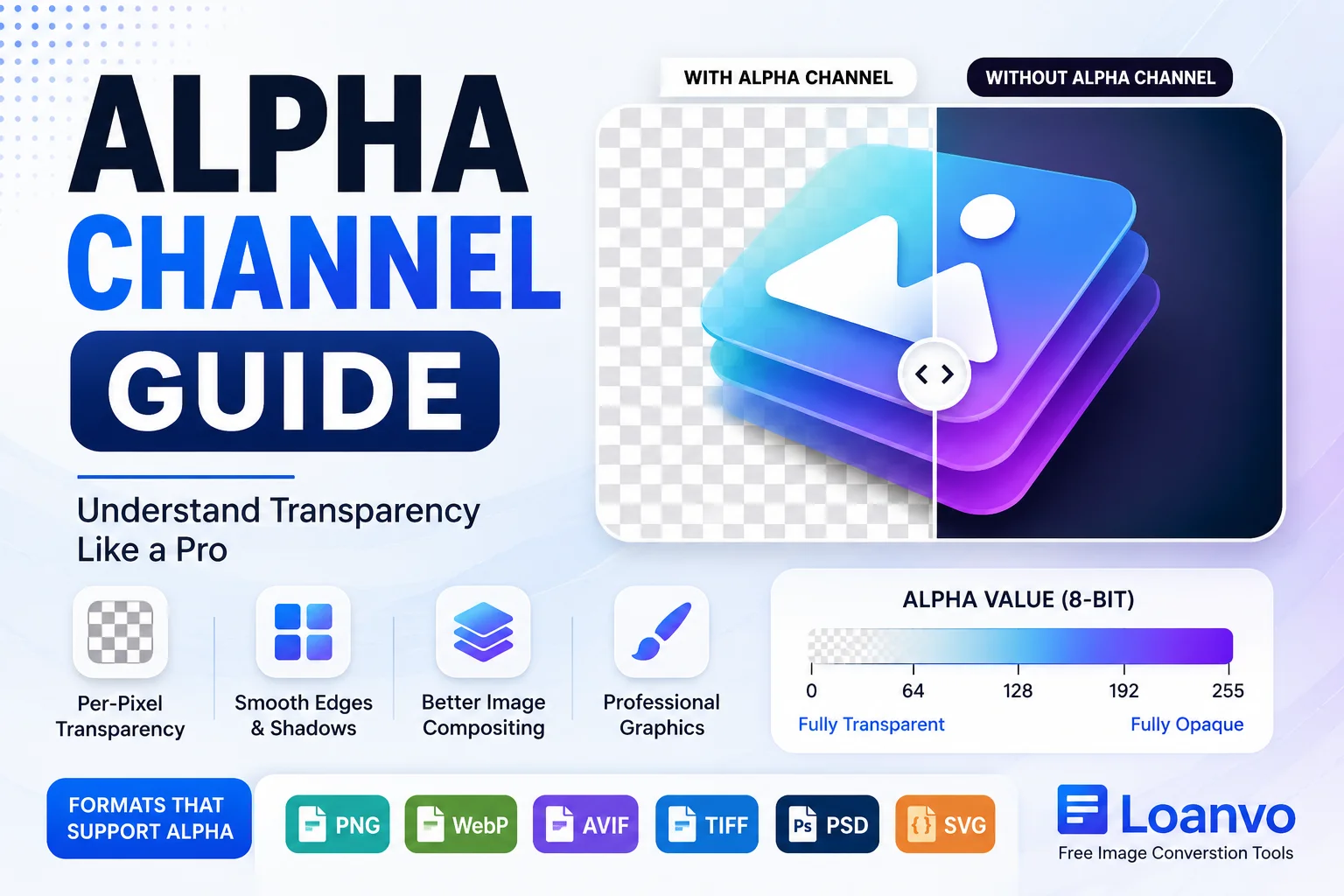
Images with transparent backgrounds are everywhere—from company logos and website icons to product photos and mobile app graphics. But have you ever wondered how an image "knows" which parts should be transparent and which parts should remain visible?
The answer is the alpha channel.
An alpha channel is an important part of many modern image formats because it stores transparency information for every pixel. Whether you're editing photos, creating logos, designing websites, or converting images online, understanding alpha channels can help you avoid losing transparency and improve image quality.
In this guide, you'll learn what an alpha channel is, how it works, which image formats support it, common mistakes to avoid, and how Loanvo's image conversion tools can help preserve transparency during conversion.
What Is an Alpha Channel?
An alpha channel is an additional channel that stores the transparency (opacity) information of an image. Standard digital images use three color channels:
- Red (R)
- Green (G)
- Blue (B)
Together, these create an RGB image.
When an alpha channel is added, the image becomes RGBA, where the "A" stands for Alpha. Instead of storing color, the alpha channel stores how transparent or opaque each pixel should appear.
Unlike RGB channels, the alpha channel does not change the color of an image. It only controls the visibility of each pixel.
How Does an Alpha Channel Work?
Each pixel in an image has an alpha value that determines its opacity.
| Alpha Value | Transparency Level |
|---|---|
| 0 | Fully transparent |
| 64 | Mostly transparent |
| 128 | Semi-transparent |
| 192 | Mostly opaque |
| 255 | Fully opaque |
For example:
- A company logo with a transparent background uses alpha values of 0 around the logo.
- The logo itself usually has alpha values close to 255.
- Shadows, glows, and soft edges often use values between 1 and 254 to create smooth transitions.
This per-pixel transparency is what gives modern graphics a polished, professional appearance.
Alpha Channel vs. Transparent Background
Many beginners think these two terms mean the same thing, but they are different.
| Alpha Channel | Transparent Background |
| Stores transparency data | The visible result of transparency |
| Hidden image information | What you see on screen |
| Controls each pixel's opacity | Makes the background appear invisible |
In simple words:
- Alpha channel = the data
- Transparent background = the visual effect
RGB vs. RGBA
Understanding the difference between RGB and RGBA is essential when converting images.
| RGB | RGBA |
| Three color channels | Four channels (RGB + Alpha) |
| No transparency | Supports transparency |
| Common in JPEG | Common in PNG, WebP, AVIF |
| Smaller file size | Slightly larger file size |
If you save an RGBA image as JPEG, the transparency is removed because JPEG does not support an alpha channel.
Which Image Formats Support Alpha Channels?
Not every image format supports transparency.
| Image Format | Alpha Channel Support |
| PNG | ✅ Yes |
| WebP | ✅ Yes |
| AVIF | ✅ Yes |
| TIFF | ✅ Yes |
| PSD | ✅ Yes |
| SVG | ✅ Supports transparency |
| GIF | ⚠ Limited (1-bit transparency) |
| JPEG | ❌ No |
If you need transparent logos, icons, or overlays, choose formats such as PNG, WebP, or AVIF instead of JPEG.
Why Are Alpha Channels Important?
Alpha channels make digital graphics look clean and professional.
Benefits include:
- Transparent backgrounds
- Smooth edges
- Realistic shadows
- Soft glows
- Better image overlays
- High-quality website graphics
- Cleaner app icons
- Professional logo design
Without an alpha channel, transparent images often appear with unwanted white, black, or colored backgrounds.
Common Uses of Alpha Channels
Alpha channels are widely used in many industries.
Logo Design
Most company logos use transparent backgrounds so they can be placed on websites, documents, or presentations without showing a white box.
Website Design
Navigation icons, buttons, and illustrations often rely on alpha channels to blend naturally with different page backgrounds.
Product Photography
E-commerce websites frequently remove backgrounds from product images, allowing products to be displayed on any color or design.
Mobile Apps
Modern app icons, splash screens, and interface elements commonly include transparent areas.
Gaming
Game developers use alpha channels for character sprites, particle effects, shadows, smoke, and visual effects.
Digital Art
Artists use transparency to create realistic lighting, blending, and layered illustrations.
What Happens During Image Conversion?
Image conversion can either preserve or remove transparency depending on the destination format.
For example:
| Conversion | Transparency Preserved? |
| PNG → PNG | ✅ Yes |
| PNG → WebP | ✅ Yes |
| PNG → AVIF | ✅ Yes |
| PNG → JPEG | ❌ No |
| WebP → PNG | ✅ Yes |
| AVIF → PNG | ✅ Yes |
If transparency is important, always choose a format that supports alpha channels.
Common Mistakes to Avoid
Many users accidentally lose transparency during image conversion.
Avoid these common mistakes:
- Saving transparent images as JPEG.
- Assuming every PNG file has a transparent background.
- Removing a background but exporting in a format that doesn't support transparency.
- Confusing opacity with transparency.
- Using outdated software that strips alpha channel data.
Checking the output format before exporting can prevent these issues.
How Loanvo Helps Preserve Transparency
Loanvo offers free online image conversion tools that make it easy to convert images while maintaining quality.
Depending on the selected output format, Loanvo can help you:
- Convert PNG images without losing transparency.
- Change PNG to WebP while preserving the alpha channel.
- Convert images to AVIF for smaller file sizes with transparency support.
- Compress supported transparent images while maintaining visual quality.
- Quickly convert images without installing desktop software.
Choosing the correct output format is the key to keeping transparent backgrounds intact.
Best Practices for Working with Alpha Channels
Follow these tips for the best results:
- Use PNG for logos and graphics.
- Choose WebP for modern websites to reduce file size while keeping transparency.
- Consider AVIF for excellent compression and transparency support.
- Avoid JPEG if transparent backgrounds are required.
- Preview converted images before downloading.
- Keep an original copy of your source image before converting.
Frequently Asked Questions
Does JPEG support alpha channels?
No. JPEG does not support transparency or alpha channels. Saving an image as JPEG removes transparent areas.
Is a PNG always transparent?
No. PNG supports transparency, but not every PNG file contains transparent pixels.
Can WebP store transparency?
Yes. WebP supports alpha channels while also providing efficient compression.
Why did my transparent background become white?
This usually happens because the image was saved in a format that does not support transparency, such as JPEG.
Is an alpha channel the same as opacity?
Not exactly. Opacity is the visible effect, while the alpha channel stores the opacity value for each pixel.
Which format is best for transparent images?
PNG is the most widely supported choice. WebP and AVIF are also excellent options for modern websites because they support transparency with smaller file sizes.
Conclusion
The alpha channel is one of the most important features in modern image editing. It enables transparent backgrounds, smooth edges, realistic shadows, and professional-looking graphics by storing opacity information for every pixel.
Understanding how alpha channels work also helps you choose the right image format during conversion. If transparency matters, avoid formats like JPEG and use PNG, WebP, or AVIF instead.
With Loanvo's free online image conversion tools, you can easily convert and optimize supported images while preserving transparency, making them ready for websites, apps, presentations, and digital design projects.