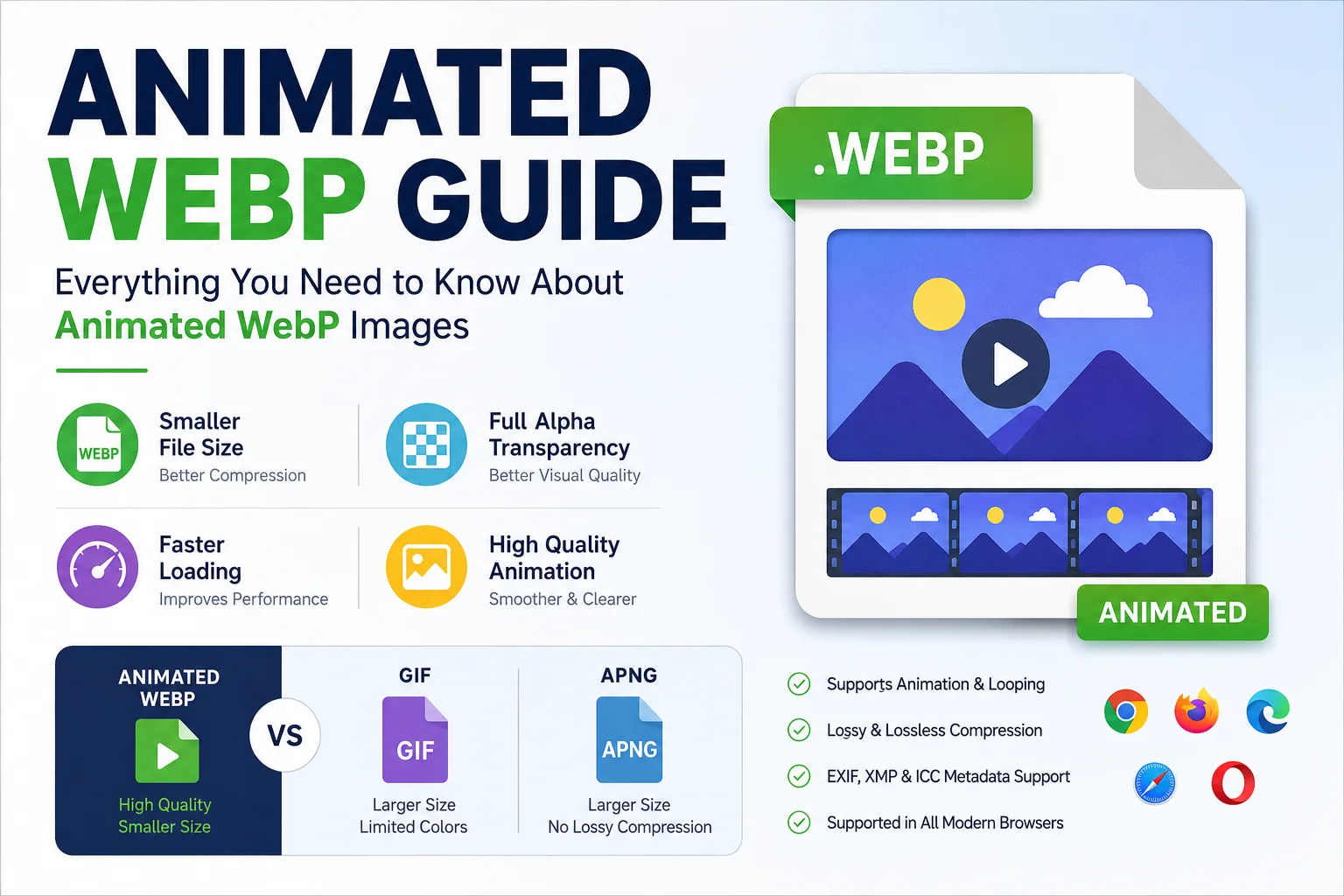
Animated WebP Guide
Animated images are widely used on websites, social media, and messaging platforms to grab attention and make content more engaging. While GIF has been the traditional choice for animations, it often produces large file sizes and limited image quality. Animated WebP was introduced as a modern alternative that provides smoother animations with significantly better compression.
In this guide, you'll learn what Animated WebP is, how it works, its advantages and limitations, and why it has become the preferred format for many websites. If you want faster-loading web pages without sacrificing image quality, Animated WebP is worth understanding.
What Is Animated WebP?
Animated WebP is an extension of the WebP image format developed by Google. It allows multiple image frames to be stored in a single .webp file, creating smooth animations similar to GIFs while using more efficient compression.
Unlike GIF, Animated WebP supports both lossy and lossless compression, making it possible to reduce file size while maintaining excellent visual quality. It also supports full alpha transparency, metadata, and modern web optimization features.
Because of these capabilities, Animated WebP has become a popular choice for websites, blogs, online stores, and web applications.
How Animated WebP Works
Animated WebP stores a sequence of image frames inside a single WebP container. Each frame can have its own duration, allowing developers to control animation speed and looping behavior.
The format uses Google's advanced compression algorithms to remove unnecessary image data while preserving visual quality. This enables Animated WebP files to be much smaller than traditional GIF files in many cases.
The WebP container also supports:
- Frame timing
- Loop count
- Transparency
- Metadata
- Color profiles
Main Features of Animated WebP
| Feature | Animated WebP |
|---|---|
| Animation Support | ✅ Yes |
| Lossy Compression | ✅ Yes |
| Lossless Compression | ✅ Yes |
| Alpha Transparency | ✅ Yes |
| Metadata (EXIF/XMP) | ✅ Yes |
| ICC Color Profile | ✅ Yes |
| Loop Animation | ✅ Yes |
| High Image Quality | ✅ Yes |
| Small File Size | ✅ Yes |
Animated WebP vs GIF
Although both formats support animation, Animated WebP offers several significant improvements.
| Feature | Animated WebP | GIF |
|---|---|---|
| Animation | ✅ Yes | ✅ Yes |
| File Size | Smaller | Larger |
| Image Quality | Higher | Lower |
| Lossy Compression | Yes | No |
| Lossless Compression | Yes | Limited |
| Alpha Transparency | Full | Limited |
| Color Depth | Higher | 256 Colors |
| Website Performance | Better | Average |
Why Animated WebP Is Better
- Smaller files help web pages load faster.
- Better image quality at similar or smaller file sizes.
- Supports full transparency for professional graphics.
- Reduces bandwidth usage.
- Improves user experience on mobile devices.
Animated WebP vs APNG
Another popular animated image format is APNG (Animated PNG).
| Feature | Animated WebP | APNG |
|---|---|---|
| Compression | Excellent | Good |
| Transparency | Full | Full |
| Lossy Compression | Yes | No |
| Lossless Compression | Yes | Yes |
| Typical File Size | Smaller | Larger |
| Browser Support | Excellent | Good |
APNG is often preferred for completely lossless animations, while Animated WebP usually provides much better compression for web use.
Benefits of Animated WebP
1. Smaller File Sizes
Animated WebP can significantly reduce file sizes compared to GIF, helping websites load faster and consume less bandwidth.
2. Better Image Quality
The format supports advanced compression techniques that preserve more detail than GIF.
3. Faster Websites
Smaller animation files reduce loading time, which can improve user experience and may contribute to better SEO performance.
4. Transparency Support
Unlike GIF, Animated WebP supports full alpha transparency, making it ideal for logos, stickers, overlays, and UI elements.
5. Modern Browser Compatibility
Most modern browsers support Animated WebP without requiring additional plugins.
Browser Support
Animated WebP is supported by most current browsers.
| Browser | Support |
|---|---|
| Google Chrome | ✅ Yes |
| Microsoft Edge | ✅ Yes |
| Mozilla Firefox | ✅ Yes |
| Opera | ✅ Yes |
| Safari (14+) | ✅ Yes |
If your audience includes users with very old browsers, you may want to provide a GIF fallback.
Common Uses of Animated WebP
Animated WebP is suitable for many web applications, including:
- Website banners
- Product showcases
- Social media graphics
- UI animations
- Loading animations
- Educational illustrations
- Tutorials
- Animated icons
- Blog content
- Marketing campaigns
How to Convert GIF to Animated WebP
Converting GIF to Animated WebP is straightforward using an online image converter such as the tools available on Loanvo.
Steps
- Open the GIF to WebP Converter.
- Upload your GIF file.
- Choose WebP as the output format.
- Adjust quality or compression settings if available.
- Start the conversion.
- Download the Animated WebP file.
The process usually takes only a few seconds, depending on file size.
Best Practices for Using Animated WebP
To achieve the best results:
- Use appropriate compression settings.
- Avoid unnecessarily long animations.
- Optimize image dimensions before conversion.
- Test animations across different browsers.
- Keep animation loops short when possible.
- Compress images before uploading to your website.
- Use Animated WebP instead of GIF whenever browser compatibility allows.
When Should You Use Animated WebP?
Animated WebP is an excellent choice when you need:
- Faster website performance
- Better image quality
- Smaller animated files
- Transparent animations
- Modern browser compatibility
It is especially useful for blogs, e-commerce websites, portfolios, online tools, and business websites that want visually appealing animations without slowing down page loading.
Conclusion
Animated WebP is one of the most efficient image formats available for web animations. By combining high-quality visuals with advanced compression, it offers a significant improvement over traditional GIFs in many situations.
Whether you're a web developer, blogger, designer, or website owner, using Animated WebP can help improve page speed, reduce bandwidth usage, and provide a better experience for your visitors. If you frequently work with animated images, converting them to Animated WebP is a smart step toward modern web optimization.
Frequently Asked Questions (FAQ)
What is Animated WebP?
Animated WebP is a modern image format developed by Google that supports animated images with smaller file sizes and better quality than GIF.
Is Animated WebP better than GIF?
In many cases, yes. Animated WebP typically offers smaller file sizes, improved image quality, and full transparency support.
Does Animated WebP support transparency?
Yes. Animated WebP supports full alpha transparency, making it suitable for logos, overlays, and graphics with transparent backgrounds.
Which browsers support Animated WebP?
Animated WebP is supported by modern versions of Chrome, Firefox, Edge, Opera, and Safari 14 or later.
Can I convert GIF to Animated WebP?
Yes. You can easily convert GIF files into Animated WebP using online converters like the tools available on Loanvo.
Is Animated WebP good for SEO?
While the image format itself is not a direct ranking factor, its smaller file sizes can improve page load speed and user experience, which are beneficial for SEO.