Images to HEIF Converter
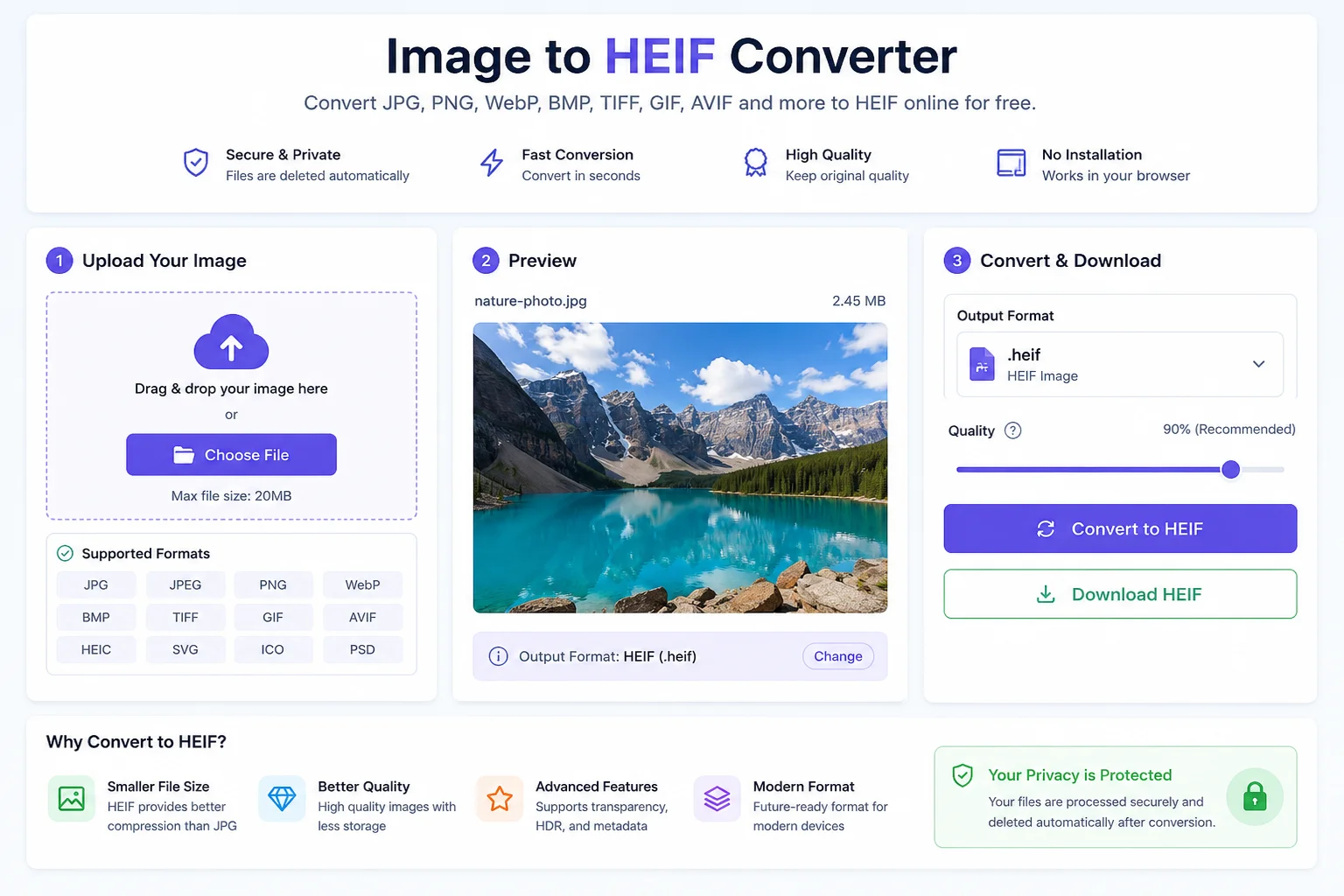
Convert images to the modern HEIF format in seconds with our free online Image to HEIF Converter. Upload JPG, PNG, WebP, BMP, TIFF, GIF, AVIF, HEIC, and other image files, then download high-quality HEIF images with smaller file sizes.
Image to HEIF Converter
Images take up a lot of storage, especially high-quality photos. If you want to reduce file size while keeping good image quality, an Image to HEIF Converter is a great solution.
A HEIF converter changes image formats like JPG, PNG, WebP, BMP, TIFF, GIF, AVIF, SVG, and HEIC into the HEIF (High Efficiency Image File Format) format. HEIF is a modern image format designed to store high-quality images using less storage space than older formats such as JPG.
HEIF has become popular because it offers better compression, supports advanced image features, and is widely used on modern smartphones and Apple devices. It is defined by the MPEG-H Part 12 (ISO/IEC 23008-12) standard and can store images, image sequences, thumbnails, transparency, and metadata in a single file.
Whether you are a photographer, designer, developer, or everyday user, converting your images to HEIF can help save storage without sacrificing visual quality.
What Is HEIF?
HEIF (High Efficiency Image File Format) is a modern image container format developed by the Moving Picture Experts Group (MPEG). It is based on the ISO Base Media File Format and was created to improve image storage efficiency compared to older formats like JPEG.
Unlike JPEG, HEIF can store much more than a single image. It can include:
- One or multiple images
- Image sequences
- Thumbnails
- Metadata
- Transparency
- HDR images
- Editing information
HEIF commonly stores images compressed using HEVC (H.265). Files that use HEVC compression often have the .heic extension, while .heif is the general extension for the container format.
Why Convert Images to HEIF?
Traditional image formats like JPG work well, but they are not the most efficient anymore.
Converting images to HEIF offers several advantages:
- Smaller file sizes
- Better image quality
- Faster storage management
- Modern compression technology
- Support for transparency
- Better metadata support
- Suitable for HDR images
- Future-ready image format
For websites, mobile apps, and personal photo collections, HEIF helps reduce storage needs while maintaining excellent visual quality.
Features of Our Image to HEIF Converter
Our online Image to HEIF Converter is designed to be simple and fast.
Fast Conversion
Convert images within seconds.
Supports Multiple Formats
Upload:
- JPG
- JPEG
- PNG
- WebP
- BMP
- TIFF
- GIF
- AVIF
- HEIC
- SVG
- ICO
- PSD (if supported)
High Image Quality
Your converted HEIF image keeps excellent visual quality.
Secure Processing
Uploaded files are processed securely and automatically removed after conversion.
No Software Installation
Everything works directly in your browser.
Free to Use
Convert images without downloading any desktop application.
How to Use an Image to HEIF Converter
Using the tool is easy.
- Upload your image.
- The tool detects the file automatically.
- Click the Convert button.
- Wait a few seconds.
- Download your new HEIF file.
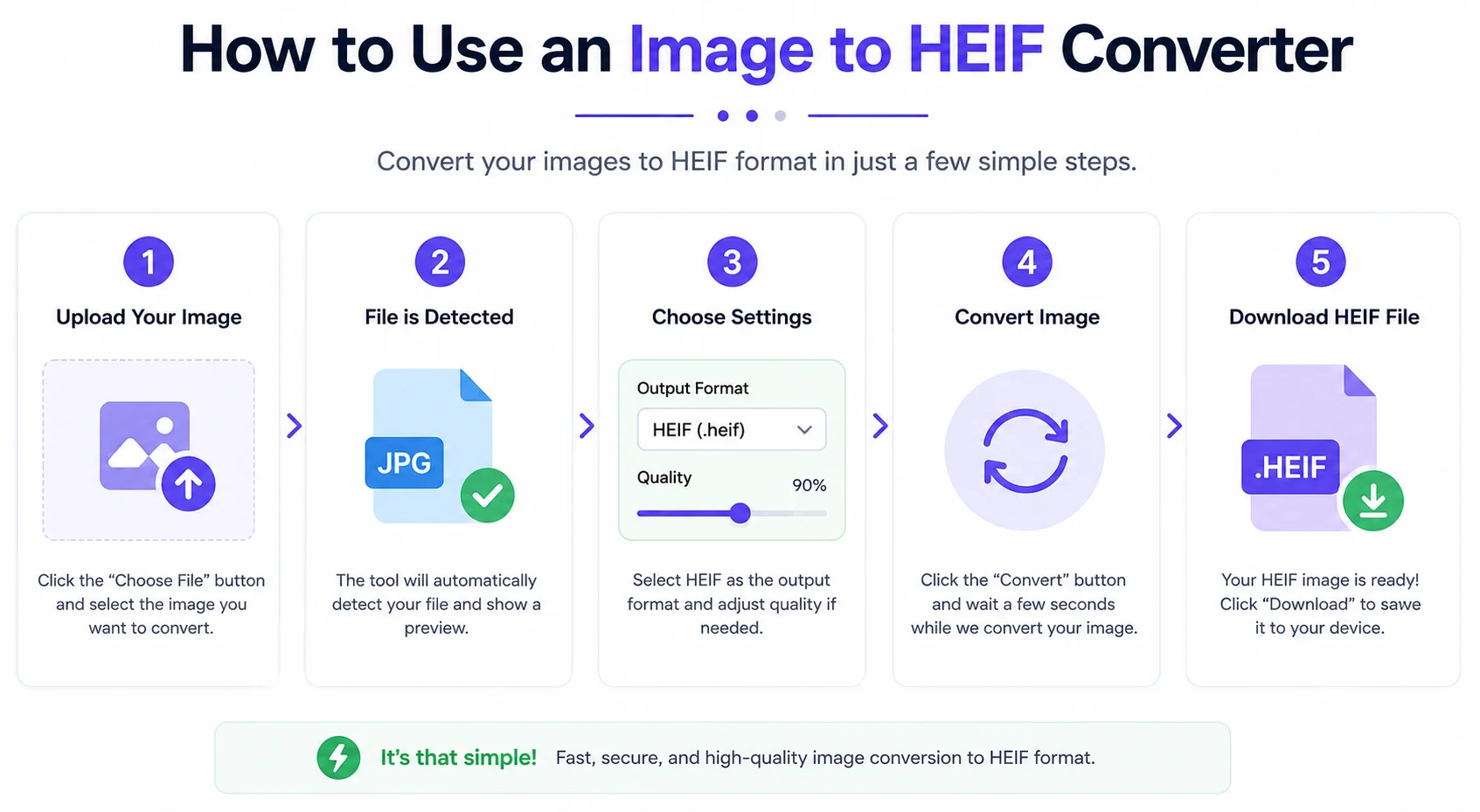
The entire process usually takes less than a minute.
Supported Input Formats
Format Supported JPG ✅ JPEG ✅ PNG ✅ WebP ✅ BMP ✅ TIFF ✅ GIF ✅ AVIF ✅ HEIC ✅ SVG ✅ ICO ✅HEIF vs JPG
Feature HEIF JPG Compression Better Standard Image Quality Excellent Good File Size Smaller Larger Transparency Yes No HDR Support Yes No Metadata Advanced Basic Multiple Images Yes No Modern Standard Yes Older FormatHEIF can often provide similar image quality while using significantly less storage than JPEG.
HEIF vs HEIC
Many people think HEIF and HEIC are the same, but there is a small difference.
HEIF HEIC Container format HEVC images stored inside the HEIF container Extension: .heif Extension: .heic Can support different codecs Specifically uses HEVC compressionIn simple words:
- HEIF is the image container.
- HEIC is one common way of storing images inside that container.
Benefits of Using HEIF
Save Storage
HEIF files are smaller than many traditional image formats.
Better Image Quality
Images stay sharp even after compression.
Faster Sharing
Smaller files upload and download more quickly.
Modern Technology
HEIF is designed for today's cameras and smartphones.
Rich Metadata
Store EXIF information, thumbnails, and more in one file.
HDR Support
Ideal for modern photography workflows.
Common Uses of HEIF
HEIF is useful in many industries.
- Smartphone photography
- Professional photography
- Graphic design
- Mobile app development
- Cloud photo storage
- Digital archives
- Social media content creation
- Image optimization
Apple devices have supported HEIF since iOS 11 and macOS High Sierra, and many modern platforms now support the format.
Is HEIF Better Than JPG?
For many users, yes.
HEIF usually provides:
- Better compression
- Smaller file size
- Higher quality
- More advanced features
- Better support for modern cameras
However, JPG is still more widely compatible with older software and devices.
Tips for Best Results
- Start with a high-quality original image.
- Avoid converting already compressed images multiple times.
- Keep a backup of the original file.
- Use HEIF for photo storage.
- Use JPG only when maximum compatibility is required.
Frequently Asked Questions (FAQs)
What is an Image to HEIF Converter?
It is an online tool that converts image formats like JPG, PNG, WebP, BMP, TIFF, GIF, and others into the HEIF format.
Is HEIF the same as HEIC?
No. HEIF is the container format, while HEIC is a HEIF file that uses HEVC image compression.
Does HEIF reduce image quality?
No. HEIF is designed to maintain excellent image quality while reducing file size.
Which devices support HEIF?
Many modern Apple devices support HEIF natively. Support is also available on newer versions of Android and various desktop applications.
Can I convert PNG to HEIF?
Yes. Most converters support PNG to HEIF conversion.
Can I convert multiple images?
That depends on the converter. Many online tools support batch conversion.
Is HEIF good for photographers?
Yes. HEIF offers excellent quality, efficient storage, metadata support, and HDR capabilities, making it suitable for professional photography workflows.
Conclusion
An Image to HEIF Converter is a simple but powerful tool for anyone who wants smaller image files without sacrificing quality. Whether you're organizing personal photos, building a website, creating mobile apps, or working with professional photography, HEIF offers modern image storage with better compression and advanced features.
By converting JPG, PNG, WebP, BMP, TIFF, GIF, AVIF, and other formats into HEIF, you can save storage space, keep image quality high, and prepare your files for modern devices and workflows. As support for HEIF continues to grow across operating systems and applications, it is becoming an increasingly practical choice for efficient image management.