Images to DDS Converter
Convert your images to DDS (DirectDraw Surface) format quickly and easily with our free Image to DDS Converter. Upload JPG, PNG, WebP, BMP, GIF, TIFF, AVIF, HEIC, or other image files, convert them to DDS in seconds, and download high-quality textures.
What Is an Image to DDS Converter?
An Image to DDS Converter is a tool that converts common image formats such as JPG, PNG, WebP, BMP, GIF, TIFF, AVIF, HEIC, and SVG into the DDS (DirectDraw Surface) format.
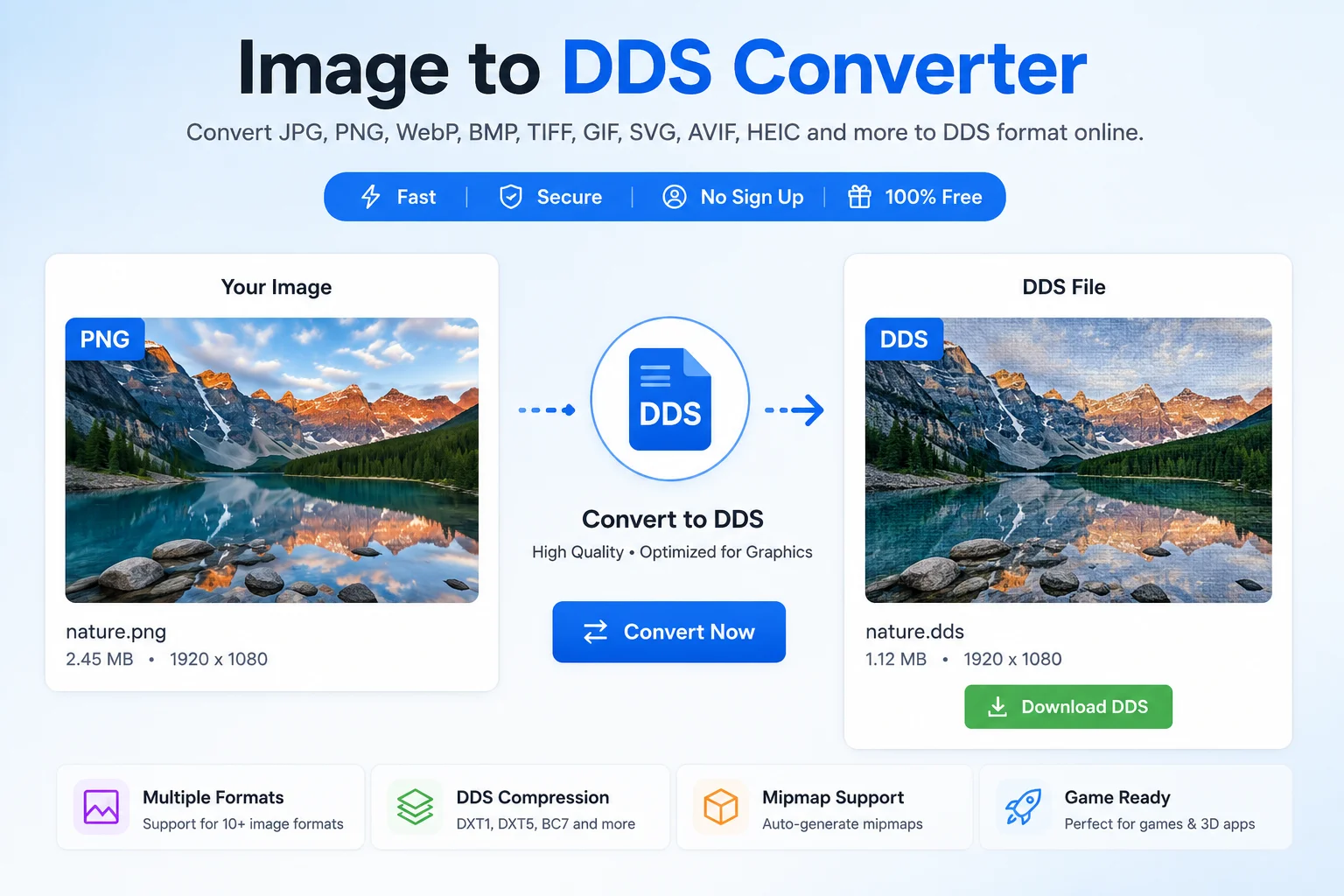
DDS is a texture file format developed by Microsoft for DirectX applications. It is mainly used in video game development, 3D graphics, game modding, simulation software, and graphics engines. Unlike normal image formats, DDS supports texture compression, mipmaps, cube maps, and volume textures, making it ideal for real-time rendering.
If you need textures for games or graphics projects, an Image to DDS Converter helps you create DDS files in just a few seconds without installing heavy software.
Why Convert Images to DDS?
Regular image formats are designed for viewing and sharing. DDS is designed for fast GPU rendering.
Here are the main reasons people convert images to DDS:
- Faster texture loading in games
- Better graphics performance
- Support for texture compression
- Smaller GPU memory usage
- Support for mipmaps
- Better compatibility with DirectX applications
What Is a DDS File?
DDS stands for DirectDraw Surface.
Microsoft introduced the DDS format with DirectX 7 for storing textures. Today it is widely used in DirectX-based games and graphics applications.
A DDS file can store:
- Single textures
- Compressed textures
- Uncompressed textures
- Mipmaps
- Cube maps
- Volume textures
- Texture arrays (newer Direct3D versions)
These features make DDS one of the most popular texture formats for game developers.
Supported Input Formats
Most Image to DDS Converter tools accept many image types.
Image Format Supported JPG ✅ JPEG ✅ PNG ✅ WebP ✅ GIF ✅ BMP ✅ TIFF ✅ AVIF ✅ HEIC ✅ SVG ✅DDS Features
Feature Available Texture Compression ✅ Mipmaps ✅ Alpha Transparency ✅ Cube Maps ✅ Volume Textures ✅ GPU Optimization ✅ DirectX Support ✅How to Use an Image to DDS Converter
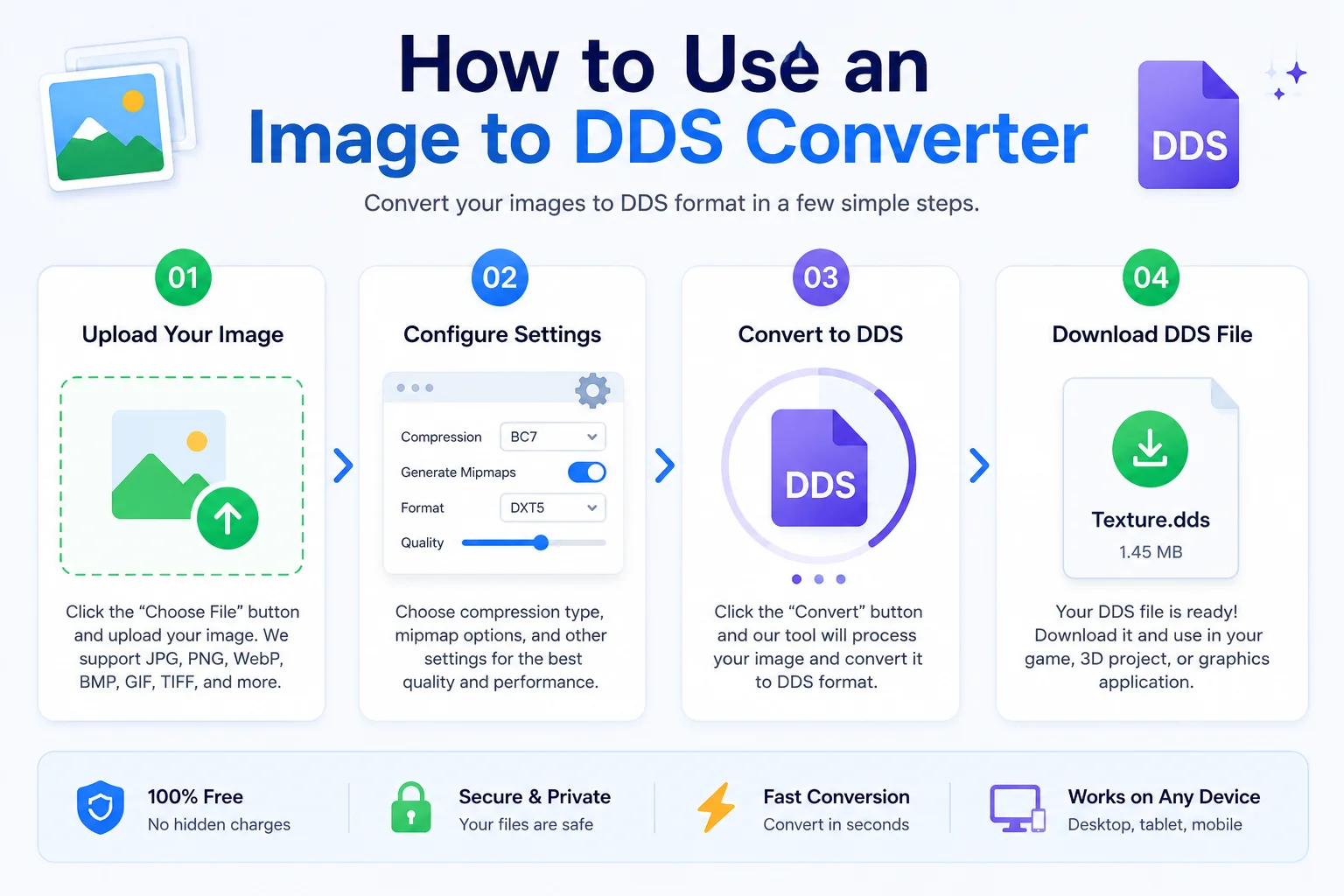
Using the converter is very easy.
- Step 1: Upload your image.
- Step 2: The converter automatically prepares the image for DDS format.
- Step 3: Click the Convert button.
- Step 4: Download your new DDS file.
That's it.
No software installation is required when using an online converter.
Common Uses of DDS Files
Game Development
Game developers use DDS textures because they load quickly and use less graphics memory.
Game Modding
Many PC games use DDS textures for skins, characters, weapons, maps, and environments.
3D Modeling
DDS textures can be applied to 3D objects inside modeling software and rendering engines.
Virtual Reality
VR applications often use DDS textures for better rendering performance.
Simulation Software
Flight simulators, driving simulators, and training software frequently use DDS textures.
Advantages of DDS Format
Faster Rendering
DDS textures are optimized for graphics hardware.
Better Performance
Compressed textures reduce GPU memory usage.
Mipmap Support
DDS stores multiple image sizes inside one file, improving rendering quality at different viewing distances.
Supports Compression
DDS supports several compression methods including DXT formats.
Professional Texture Format
Many professional game engines support DDS.
DDS vs PNG
Feature DDS PNG Best for Games ✅ ❌ Supports Mipmaps ✅ ❌ Texture Compression ✅ ❌ Transparency ✅ ✅ Photo Sharing ❌ ✅ GPU Optimized ✅ ❌DDS vs JPG
Feature DDS JPG Game Texture ✅ ❌ High Compression ✅ ✅ GPU Friendly ✅ ❌ Transparency Depends on format ❌ Mipmaps ✅ ❌Who Should Use an Image to DDS Converter?
This tool is useful for:
- Game developers
- Unity developers
- Unreal Engine users
- DirectX developers
- Graphics designers
- Texture artists
- 3D model creators
- Game modders
- Students learning graphics programming
Is DDS Better Than PNG?
Not always.
If you need an image for a website, PNG is usually better.
If you need a texture for a game, DDS is the better choice because it is optimized for graphics hardware.
Does DDS Reduce Image Size?
DDS can reduce GPU memory usage by using texture compression formats such as DXT compression. Depending on the selected compression method, the file size may become smaller while still providing good rendering performance.
Is DDS Lossless?
It depends.
Some DDS files are uncompressed, while others use lossy compression such as DXT formats to reduce storage and improve rendering speed.
Tips for Best Results
- Start with a high-resolution image.
- Use PNG if transparency is needed before conversion.
- Keep the original image as a backup.
- Choose the correct compression settings for your project.
- Preview textures before importing them into a game.
Frequently Asked Questions
What is a DDS file?
DDS is Microsoft's DirectDraw Surface texture format used mainly in games and 3D graphics.
Can I convert PNG to DDS?
Yes. Most Image to DDS Converter tools support PNG files.
Does DDS support transparency?
Yes. DDS supports alpha channels depending on the selected pixel format and compression.
Can Photoshop open DDS files?
Yes, with the appropriate DDS plugin or built-in support in compatible versions.
Which software uses DDS?
Many game engines, DirectX applications, and 3D graphics programs support DDS textures.
Can DDS store mipmaps?
Yes. DDS supports mipmaps, which help improve rendering performance and visual quality.
Is DDS good for websites?
No. DDS is intended for graphics applications and game textures, not for web images.
Is DDS suitable for Unreal Engine and Unity?
Yes. DDS textures are commonly used in game development workflows, especially for optimized texture assets.
Conclusion
An Image to DDS Converter is a simple but powerful tool for creating professional texture files. Whether you are building a game, designing 3D models, or creating custom game mods, DDS offers excellent performance thanks to GPU-friendly compression, mipmap support, and DirectX compatibility.
With an online Image to DDS Converter, you can upload an image, convert it within seconds, and download a DDS texture ready for use in your graphics or game development project.