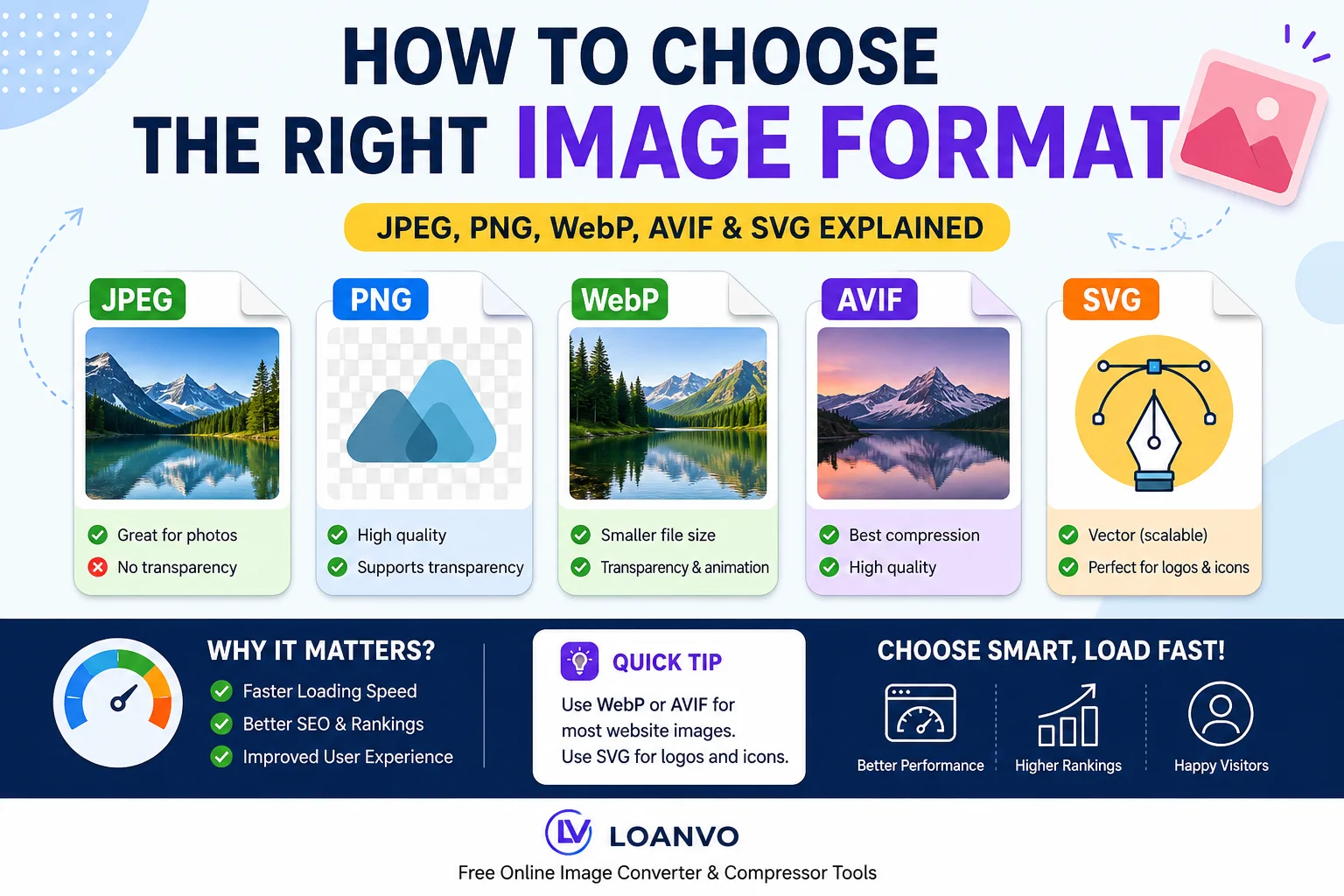
When creating a website, blog, online store, or social media content, choosing the right image format is just as important as choosing the right image itself. The image format you select affects file size, loading speed, image quality, SEO, and overall user experience.
Many beginners simply upload images in whatever format they have usually JPG or PNG without realizing that modern formats like WebP and AVIF can make websites significantly faster while maintaining excellent visual quality. Google's web performance guidance recommends selecting image formats based on the image's purpose and using modern formats whenever possible to improve loading performance and Core Web Vitals.
In this guide, you'll learn the differences between popular image formats, when to use each one, and how to choose the best format for every situation.
Why Choosing the Right Image Format Matters
Images often make up the largest portion of a webpage's total file size. A poor format choice can lead to:
- Slow-loading pages
- Higher bandwidth usage
- Poor Core Web Vitals
- Lower SEO performance
- Increased bounce rates
Using the correct image format helps reduce file sizes without sacrificing quality, improving both user experience and search engine rankings.
Vector vs Raster Images
Before choosing a file format, it's important to understand the two main image types.
| Feature | Vector Images | Raster Images |
|---|---|---|
| Built From | Shapes & Paths | Pixels |
| Quality When Resized | Never loses quality | Can become blurry |
| Best For | Logos, Icons, Illustrations | Photos, Screenshots |
| Examples | SVG | JPEG, PNG, WebP, AVIF |
Vector graphics are perfect for logos, icons, and illustrations because they remain sharp at any size. Raster images are better suited for photographs and detailed graphics.
Understanding Popular Image Formats
JPEG (JPG)
JPEG is one of the oldest and most widely supported image formats.
Best For
- Photography
- Blog images
- Product photos
- News websites
Advantages
- Small file size
- Universal browser support
- Good balance between quality and compression
Limitations
- No transparency
- Loses quality after repeated editing and compression
PNG
PNG uses lossless compression, preserving every detail in the image.
Best For
- Logos
- Screenshots
- Graphics
- Images with transparent backgrounds
Advantages
- Supports transparency
- Excellent image quality
- Ideal for UI elements
Limitations
- Larger file sizes than JPEG or WebP
WebP
Developed by Google, WebP is designed specifically for the modern web.
Best For
- Websites
- Blogs
- E-commerce
- Landing pages
Advantages
- Smaller files than JPEG and PNG
- Supports transparency
- Supports animation
- Excellent browser compatibility
Google recommends using WebP where possible because it provides better compression than older formats while maintaining high visual quality.
AVIF
AVIF is one of the newest image formats available today.
Best For
- High-quality photography
- Modern websites
- Hero images
Advantages
- Outstanding compression
- Excellent image quality
- Supports transparency
- Supports HDR
- Supports animation
Although AVIF offers even better compression than many traditional formats, browser support should still be considered when serving images to older devices.
SVG
SVG is a vector format rather than a raster format.
Best For
- Company logos
- Icons
- Charts
- Illustrations
Advantages
- Infinitely scalable
- Very small file size
- Always sharp
Not Recommended For
- Complex photographs
Quick Comparison Table
| Format | Transparency | Animation | Best For |
|---|---|---|---|
| JPEG | ❌ | ❌ | Photos |
| PNG | ✅ | APNG | Graphics & Logos |
| WebP | ✅ | ✅ | Modern Websites |
| AVIF | ✅ | ✅ | High-Quality Images |
| SVG | Yes (Vector) | Limited | Logos & Icons |
Which Image Format Should You Choose?
| Use Case | Recommended Format |
|---|---|
| Blog Featured Image | WebP |
| Photography | AVIF or WebP |
| Product Images | WebP |
| Company Logo | SVG |
| Icons | SVG |
| Screenshots | PNG or WebP |
| Transparent Graphics | PNG or WebP |
| Hero Banner | AVIF |
| Social Media Upload | JPEG or PNG |
How Image Formats Affect Website Speed
Modern image formats like WebP and AVIF can dramatically reduce image file sizes compared to older formats.
Smaller files mean:
- Faster page loading
- Better mobile performance
- Lower server bandwidth
- Improved SEO
- Better Largest Contentful Paint (LCP)
Research has shown that newer formats such as WebP and AVIF generally improve page loading performance compared with JPEG across major browsers.
Image Formats and SEO
Google considers page experience and loading speed as important ranking factors.
Optimized images help improve:
- Core Web Vitals
- Largest Contentful Paint (LCP)
- User Experience
- Crawl Efficiency
Using appropriately compressed images and modern formats can contribute to better website performance.
Common Mistakes Beginners Make
Avoid these common errors:
- Uploading huge PNG photos
- Using JPEG for transparent logos
- Saving icons as JPEG
- Uploading images larger than required
- Ignoring image compression
- Using screenshots instead of SVG icons
- Not creating responsive image sizes
Compress Images After Choosing the Right Format
Choosing the correct format is only half the job. You should also compress your images before uploading them.
Compression can:
- Reduce file size
- Improve loading speed
- Save bandwidth
- Keep image quality visually similar
For best results, compress images before publishing them on your website.
Convert Images Easily with Loanvo
Need to switch between image formats? Loanvo offers free online tools that make it easy to convert and optimize images for any project. Whether you want to convert JPG to WebP, PNG to AVIF, or resize and compress images before uploading them, Loanvo's tools help you prepare web-friendly images in just a few clicks.
Using the right format together with proper compression can significantly improve website speed, SEO, and user experience.
Final Thoughts
There isn't a single "best" image format for every situation. The right choice depends on the type of image and how it will be used.
As a general rule:
- Use SVG for logos and icons.
- Use WebP for most website images.
- Use AVIF when you want the smallest files with excellent quality.
- Use PNG for transparency and screenshots.
- Use JPEG when compatibility with older systems is the top priority.
Making the right decision today can lead to faster websites, happier visitors, and improved search engine performance. Google's image optimization guidance emphasizes selecting formats based on image content and using modern formats like WebP and AVIF whenever practical for better web performance.